Games and formats
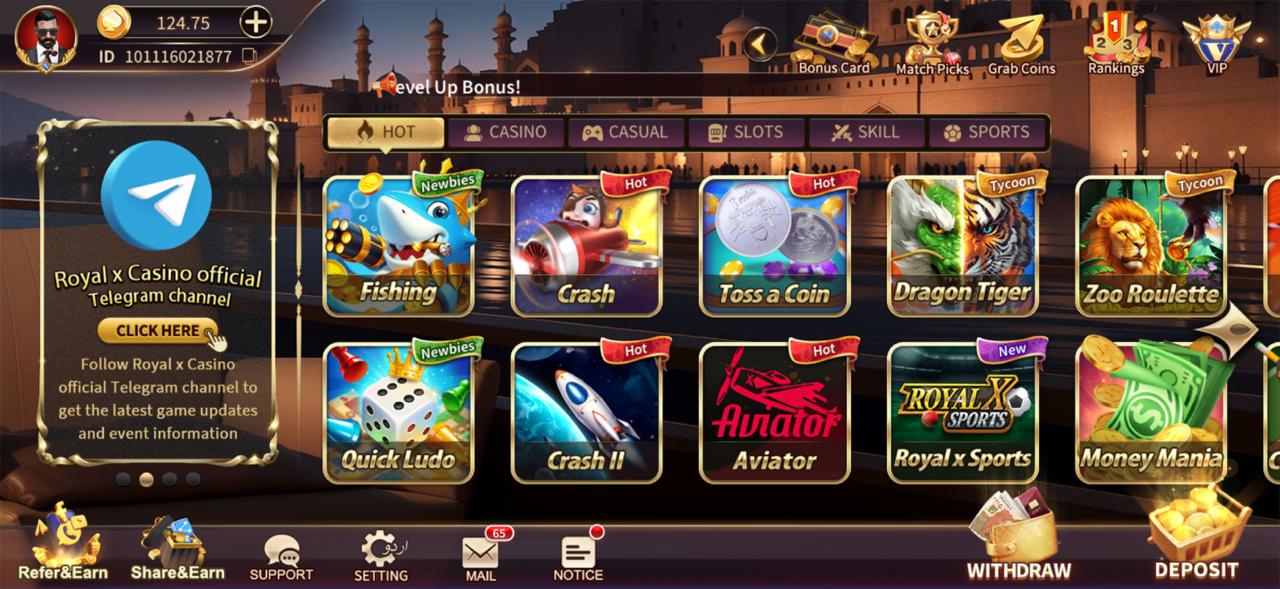
What you will find in the lobby after installing.
Get the Royal X Casino game app
Download GameAndroid package
What an APK is, how to judge whether a package is worth installing, the permissions to watch for, and the installation errors Android reports most often.
APK stands for Android Package. It bundles an application’s compiled code, its assets, a manifest describing the permissions it requests, and a digital signature. Installing one manually is called sideloading. The mechanics are identical to a store install; what is missing is the store’s review, malware scanning and update channel.
That missing layer is the whole reason this page is long. Sideloading is not inherently dangerous, but it transfers the checks a store would perform onto the person holding the phone.
| Requirement | Where to find it | Note |
|---|---|---|
| Android version | Settings › About phone › Software information | Follow the operator's stated minimum; verify before installation |
| Free storage | Settings › Storage | Leave headroom beyond the package size |
| Memory | Device specification | Animated lobbies are demanding on entry-level hardware |
| Install permission | Settings › Apps › Special access | Granted per app, not globally |
| Device policy | Work profile or managed device settings | Sideloading may be disabled entirely |
Android shows what an app can access. Network access and storage access are expected for a game that streams assets and processes payments. Requests that deserve scrutiny include SMS access, contact lists, call logs and accessibility services, because those can expose verification codes or activity in other applications.
Account setup is covered step by step in the Royal X Casino registration guide.
| Message | Likely cause | What to try |
|---|---|---|
| App not installed | Conflicting version or corrupt package | Uninstall the old app, download again, retry |
| Parse error | Incomplete file or unsupported Android version | Re-download fully; confirm the version requirement |
| There was a problem parsing the package | Truncated download | Delete the file and download again |
| Insufficient storage | Not enough free space | Free space, then retry |
| Blocked by Play Protect | Unrecognised installer | Re-verify the source before overriding |
| Blocked by your administrator | Managed device or work profile | Sideloading is disabled on that device |
A sideloaded app does not receive store updates. New versions must be downloaded and installed manually, and each one deserves the same verification as the first. Storage use also grows after installation as game assets are cached, so the initial package size is not the total footprint.
No. We do not host an installation file and do not link to third-party mirrors, because we cannot verify files we did not build or sign.
Google restricts real-money gambling applications, so apps in this category are usually distributed as direct downloads instead. That removes the store's screening layer.
It permits one specific app, such as your browser or file manager, to install packages. Grant it for the install and switch it back off afterwards.
Android warns about installers it does not recognise. The warning is not proof of malware, but it is a prompt to re-check the source before proceeding.
Sideloaded apps do not update automatically. Check the operator's distribution page and repeat the same verification steps for each new package.
What you will find in the lobby after installing.
Desktop access, emulators and the trade-offs involved.
Why an APK cannot be installed on iPhone or iPad.